Start with the job
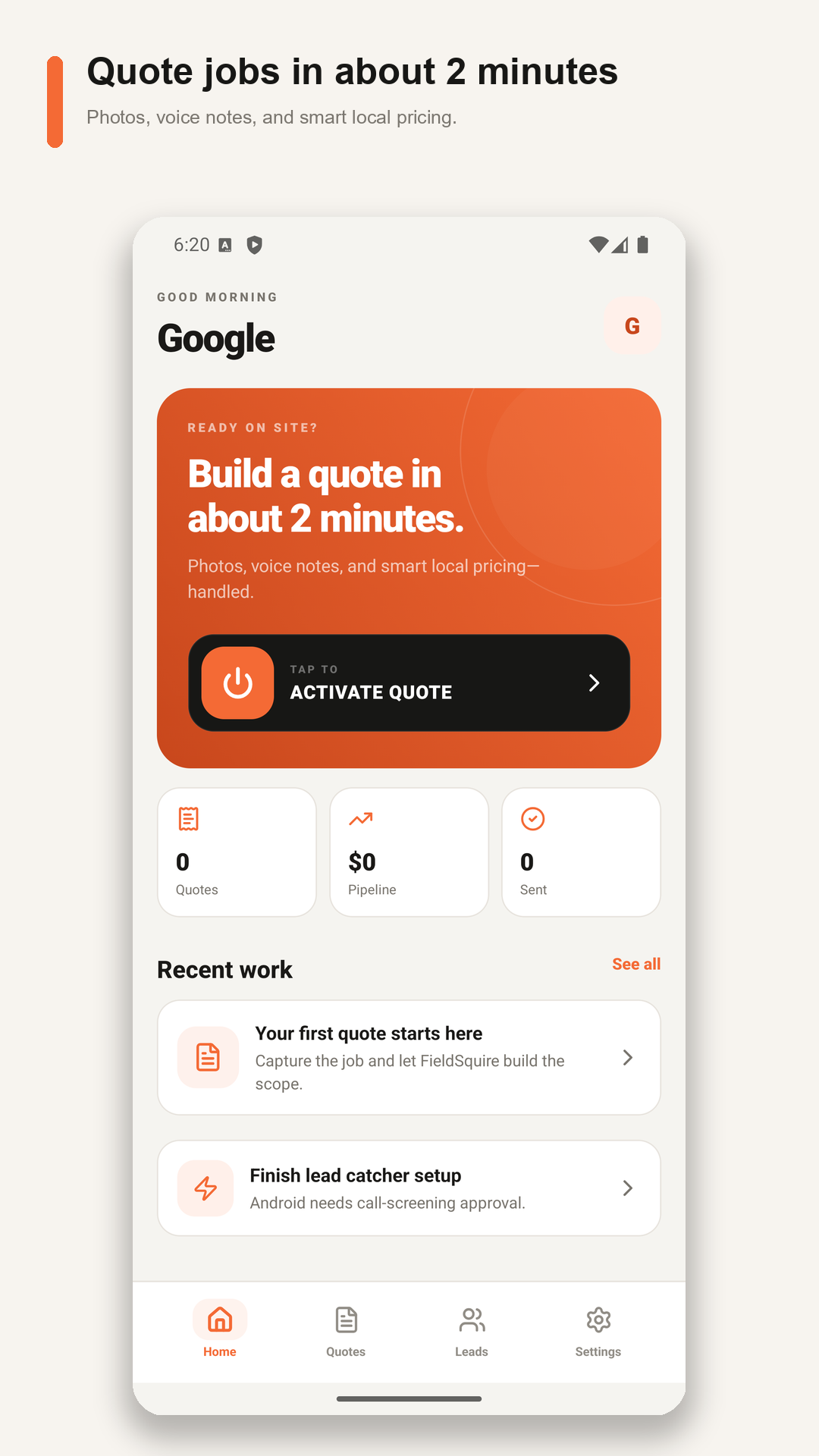
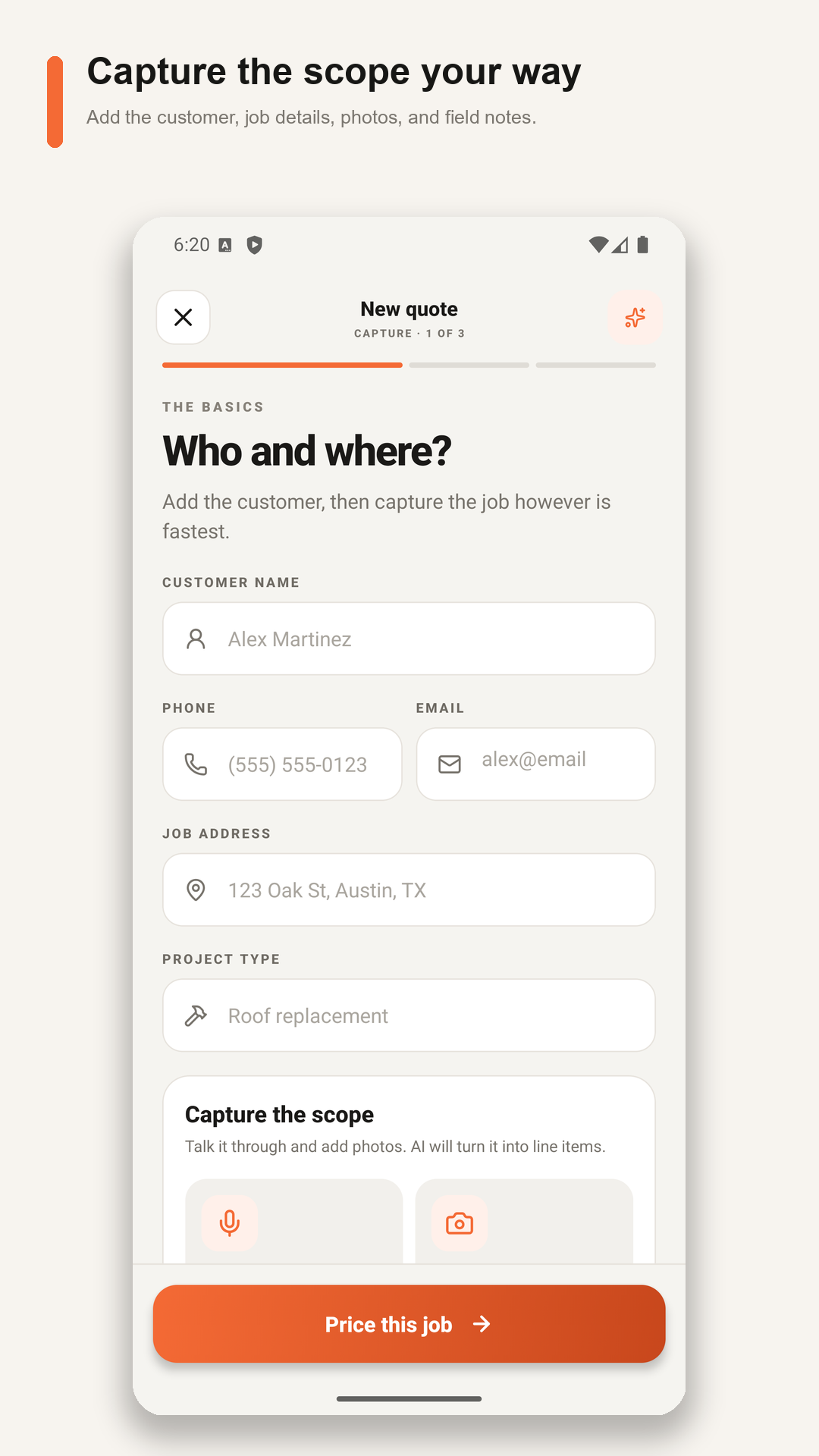
Enter the project type and begin the scope. Customer contact details and the job address can be added later, before you share the finished quote.
 FIELDSQUIRE AI
Your app and website use the same account: phone number, Google, or email and password.
AI CONSTRUCTION COST ESTIMATOR FOR CONTRACTORS
Turn the details you already know into an itemized estimate. Talk through the work like you would write it on a paper contract. Let AI draft the labor and materials, edit the numbers, and send a professional PDF—right from your phone.
Your experience. Your prices. Less paperwork. Correct a material or labor unit price and save the quote. FieldSquire remembers saved rates for matching items in future AI estimates.
Install the app, create your account, and start quoting. Try Solo for 14 days with 5 successful AI estimates. No card required. No automatic charge when the trial ends.
TIME IS THE ONE THING YOU CANNOT BUY BACK
FieldSquire is built to turn the walkthrough into an editable quote before the job details fade. Less time typing, rebuilding scope, calculating margin, and formatting PDFs means more time for paying work, follow-up, family, or simply ending the day on time.
FROM WALKTHROUGH TO “WHEN CAN YOU START?”
Keep control of every number. AI does the first pass; you review and edit before anything reaches the customer.
Enter the project type and begin the scope. Customer contact details and the job address can be added later, before you share the finished quote.
Describe it like a paper contract: “20 × 40 driveway, 4 inches thick, 3500 PSI concrete, rebar every 2 feet, two laborers and two finishers for a day.” For a roof, include area, pitch, valleys, vents, flashing, and roofing material. Photos are reference—not a substitute for your measurements.
Already know your selling price? Enter your own total. Want help with the breakdown? Build an AI draft, then check the labor, materials, quantities, and suggested scope before using it.
Keep the work you are doing and remove the rest. Correct unit prices, adjust quantities, and review the final total. When you use line-item pricing, set your profit and overage without showing that math to the customer.
Set the deposit you need to get started. Have the customer sign on your phone, or send a signing link later. A deposit request on a quote is not a payment collected.
Add customer details when you are ready. Show each line price or just the final total, then share the branded PDF by text or email. Your saved quote stays available for follow-up.
HANDS-FREE QUOTE · TALK THROUGH THE WORK
Speak naturally into your phone, compatible Bluetooth earbuds or headset, or Meta glasses when they are available to the phone as a Bluetooth microphone. FieldSquire shows the active input, records the scope, warns when noise may have affected what it heard, and gives you every detected line to edit before pricing.
BUILT FOR REAL JOB SITES
FieldSquire is not a bloated back-office system. It is the fast path from an opportunity to a professional estimate.
Build editable direct-cost line items from the scope and your company pricing context, then apply your own profit and overage settings.
Correct and save your material and labor unit rates. FieldSquire prioritizes those saved company prices for matching work in future AI drafts. Review each estimate for current supplier costs and job conditions.
Edit or remove any labor, material, equipment, allowance, or scope line before sending the estimate.
Walk the job and talk through the scope with your phone or a compatible Bluetooth microphone. Pause when you need to, then review the captured details before pricing.
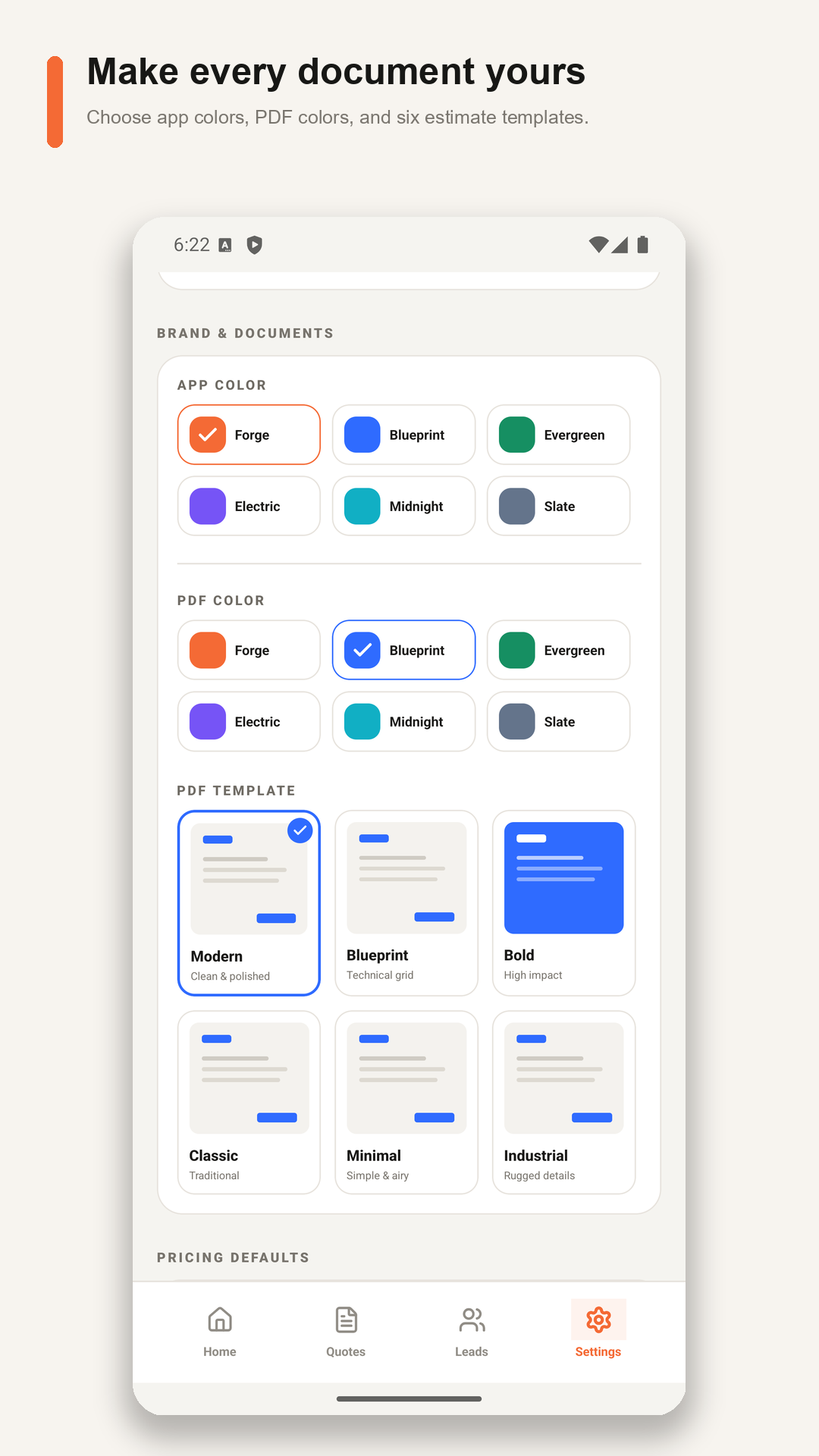
Put the company name, contractor or salesperson, address, phone, logo, terms, signature lines, and color theme on every PDF.
Ask for a fixed or percentage deposit and let the customer approve with a typed name or signature on the device.
Owners, salespeople, and foremen share leads, estimates, job photos, company branding, and learned prices.
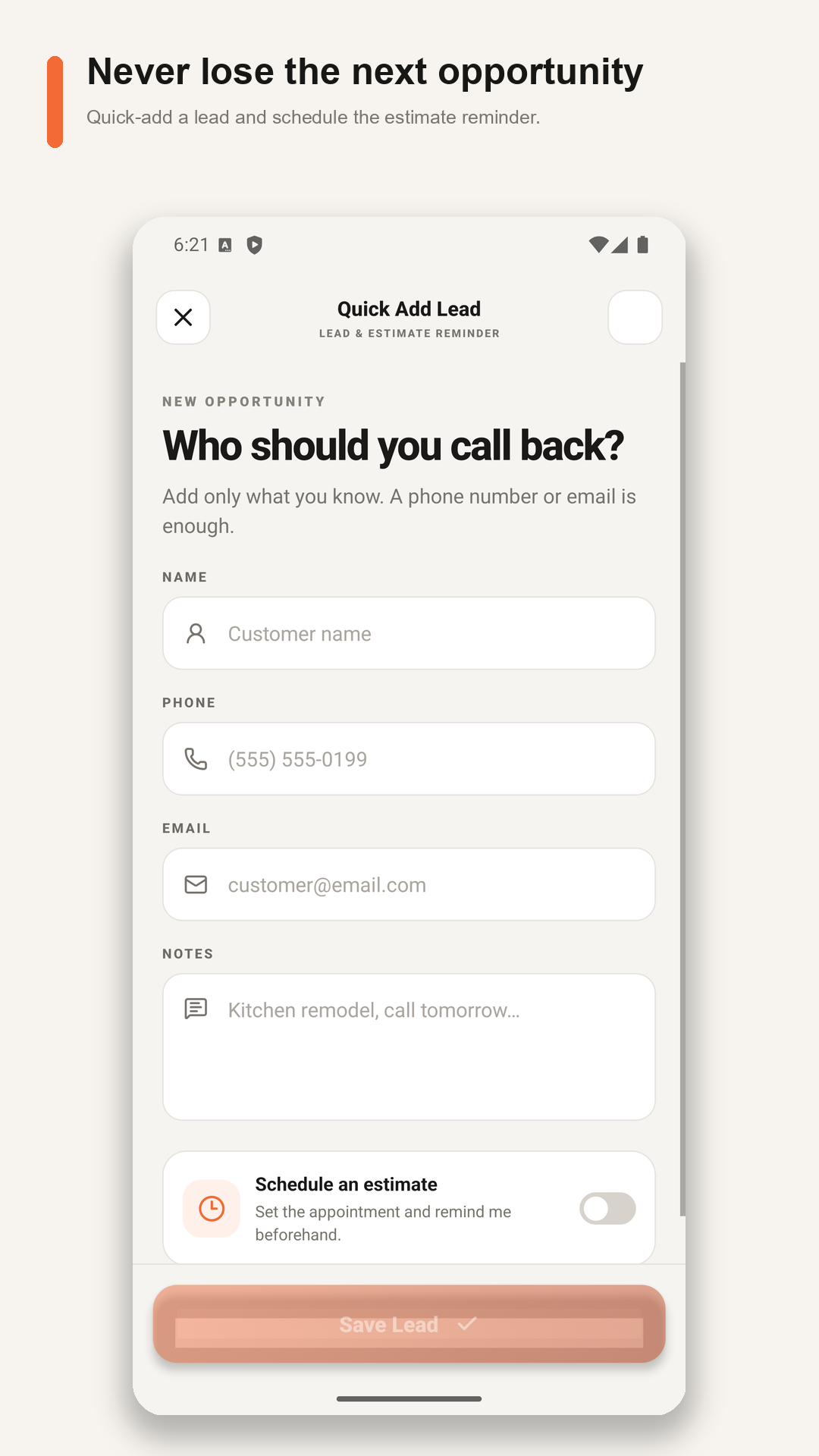
On supported Android phones, optionally flag an unknown caller for quick review as a lead, personal call, or spam.
ONE FAST WORKFLOW. YOUR TRADE’S DETAILS.
Choose your trade to see job examples, line-item ideas, and the FieldSquire workflow built around the work you sell.
Slabs, patios, driveways, footings, forms, rebar, finish labor, and equipment.
Concrete cost estimator → 02Devices, circuits, panels, conduit, wire, fixtures, troubleshooting, and crew hours.
Electrical estimating app → 03Fixtures, pipe, valves, fittings, demo, access, service work, and installation labor.
Plumbing estimating app → 04Equipment, ductwork, line sets, controls, startup, disposal, and changeouts.
HVAC estimating app → 05Tear-off, squares, underlayment, flashing, ridge, disposal, labor, and allowances.
Roofing cost estimator → 06Posts, rails, pickets, panels, gates, hardware, concrete, demo, and installation.
Fence estimating app → 07Board, screws, tape, mud, corner bead, hanging, finishing, texture, and cleanup.
Drywall estimating app → 08Remodels, repairs, punch lists, mixed scopes, subcontractors, and allowances.
General contractor app → 09Repairs, installations, punch lists, rental turns, mixed scopes, materials, and labor.
Handyman estimating app → 10Planting, beds, mulch, rock, drainage, grading, equipment, cleanup, and crew labor.
Landscaping estimating app → 11Mowing, trimming, edging, cleanup, aeration, seeding, treatments, and recurring visits.
Lawn care estimating app → 12Brick, block, mortar, reinforcement, scaffolding, repairs, demolition, and cleanup.
Masonry estimating app → 13LVP, hardwood, tile, carpet, prep, transitions, trim, demolition, and installation.
Flooring estimating app → 14Walls, ceilings, trim, cabinets, exteriors, preparation, coatings, access, and cleanup.
Painting estimating app → 15Framing, decks, trim, doors, built-ins, repairs, lumber, hardware, and finish labor.
Carpentry estimating app → 16Clearing, grading, trenching, drainage, base, equipment, trucking, and restoration.
Excavation estimating app → 17Tear-off, housewrap, panels, trim, soffit, fascia, flashing, access, and disposal.
Siding estimating app →WHAT CHANGES ON DAY ONE
Fast does not have to mean careless. The app gives you a consistent checklist while keeping the contractor in control.
14 DAYS FREE ON SOLO
Try FieldSquire on a real job before choosing a paid plan. Download for iPhone or Android, create an account, and tap Start quoting to begin your 14-day Solo trial. Finish your business profile later. The prices below are for subscriptions purchased on this website; in-app prices may differ.
SOLO
For a solo contractor who wants to quote quickly without giving up control of pricing.
CREW
For an owner, salespeople, and foremen working from one company playbook.
Website subscription prices in USD. App Store and Google Play prices are shown in the app before purchase and may differ. Use the same FieldSquire account on the website and in the app. Each eligible account receives one 14-day Solo trial. Creating an account does not start it; the trial begins when the contractor taps Start quoting in the app. Email verification, a completed business profile, and customer contact details are not required before the first quote. Solo requires no card, includes 5 successful AI estimates, and ends automatically. Crew is $39/month and requires a payment method. Only completed AI drafts count toward an allowance; failed generations do not. Review every AI draft before sending.
STRAIGHT ANSWERS
If your question isn't here, the Help Center goes deeper — or email us and a person answers.
No. FieldSquire drafts direct-cost line items from your scope, company pricing context, price history, and assumptions. Job photos stay attached to the quote as reference material and are not currently sent to Gemini. You can edit or delete every line. The app then applies your private overage and profit settings, and you approve the final customer price. Nothing reaches a customer without your review.
Yes. Edit a material or labor unit price and save the quote. FieldSquire remembers saved company rates for matching items in future AI estimates. Always check quantities, supplier prices, and the actual job conditions before sending.
No, ever. Solo pricing stays with your signed-in account. On Crew, learned prices are shared only with the authorized members of your own company workspace. FieldSquire never uses one contractor's rates to price another contractor's work — your pricing is a competitive asset and we treat it that way.
No. Those calculations stay private to you. The customer sees the scope, line items, subtotal, deposit, total, terms, and approval information — a clean professional document, not your margin math.
Yes. Show a fixed or percentage deposit on the estimate and collect a signature on your phone. You can also text or email a signing link. Showing a deposit amount does not collect a payment; arrange payment with your customer separately.
Depends on your volume and how you quote today. The workflow is built so a walkthrough becomes a customer-ready PDF in a couple of minutes instead of an evening at the kitchen table. As a worked example: saving 30 minutes across 20 quotes a week returns about 10 hours weekly. Your mileage is your mileage — that's why the trial runs on real jobs.
Up to five members — owner, salespeople, foremen — share one company workspace: leads, estimates, job photos, branding, and the learned price book. Each member signs estimates under their own name.
Yes, when compatible glasses are available to your phone as a Bluetooth microphone. Confirm the active microphone before recording. For photos, sync glasses images to your phone first, then select them as quote references. FieldSquire does not directly control the glasses camera or measure a job from a photo. Smart glasses are optional.
The no-card Solo trial ends automatically with no charge. Your saved work remains, but quoting stays locked until you choose Solo or Crew. Each FieldSquire account may use only one free trial.
FieldSquire is available now for Android phones, compatible Android tablets, and supported Chromebooks through Google Play, and for iPhone through the App Store. Android Lead Catcher requires a supported cellular phone and is not available on tablets, Chromebooks, or iOS.
No, on purpose. FieldSquire is the fast path from a lead to an approved estimate: leads, estimates, approvals, deposits, and documents. It doesn't replace detailed plan takeoff, engineering, code review, bookkeeping, or legal advice — and it doesn't try to bury you in modules you'll never open.
YOUR NEXT WALKTHROUGH CAN BE THE TEST
You bring the job details. FieldSquire helps turn them into a quote you can review, price your way, and send. Download the app and create your account there—no card needed for the Solo trial.