Capture it once
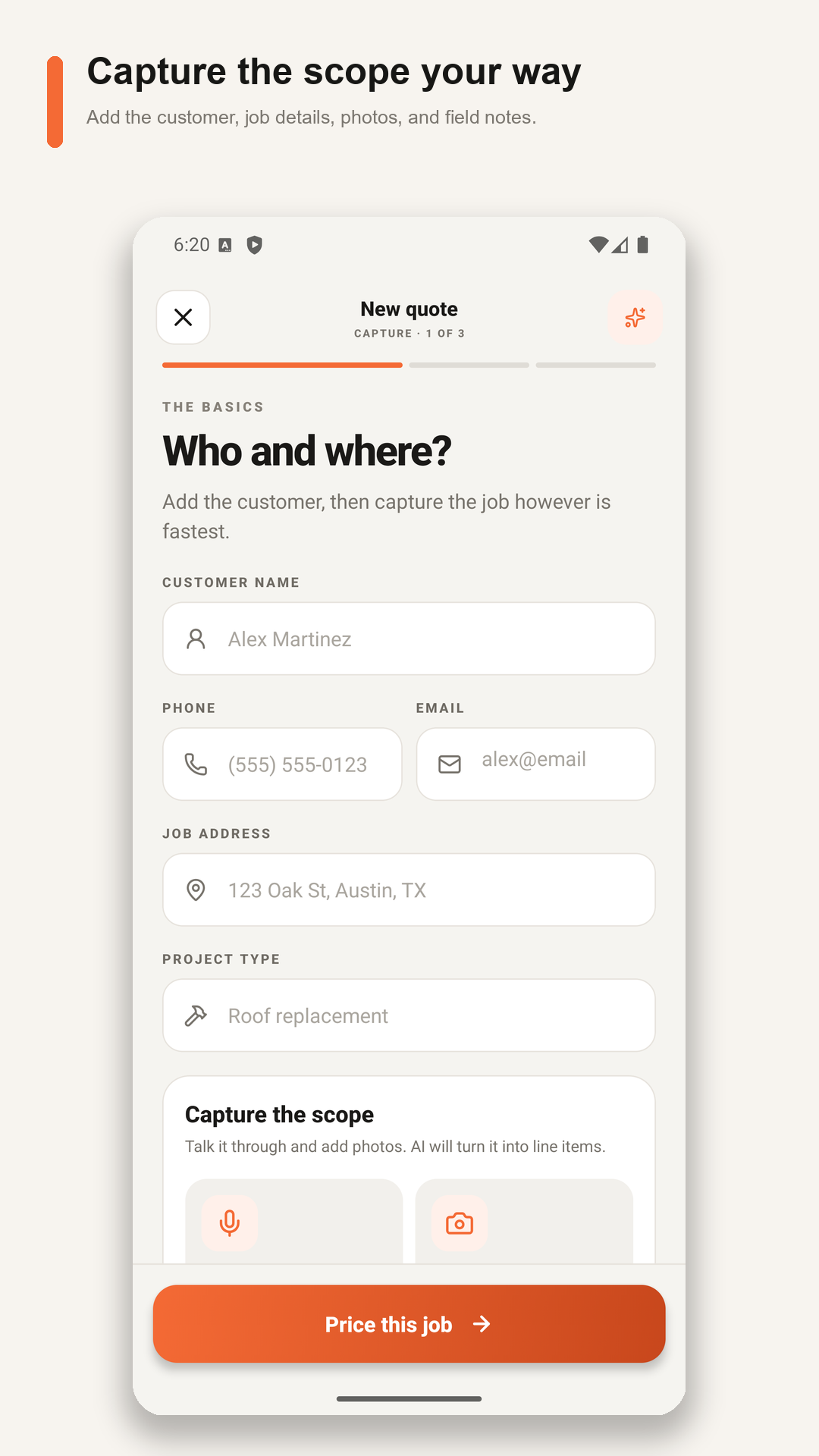
Type the scope, talk it through, and attach useful job photos while details are fresh.
 FIELDSQUIRE AITry it free
CONTRACTOR BID APP FOR ON-SITE ESTIMATES
FieldSquire is contractor bid app for on-site estimates built around the way small crews actually quote: start with the job details, add customer information when you are ready, capture the scope, choose your own price or request an AI-assisted first draft, review every line, and send the finished estimate.
Available now on Android. Download FieldSquire for iPhone from the App Store. The free trial ends automatically with no charge.
BUILT FOR REAL GENERAL CONTRACTOR WORK
The goal is not to hide the estimate behind automation. It is to help you capture a complete first draft quickly, then give you clear control over what the customer receives.
BUILT FOR THE WALKTHROUGH
A mobile general contractor quote app should reduce retyping. FieldSquire keeps the customer, address, notes, photos, measurements, and quote together, so you can review the real scope instead of decoding truck-seat notes later.
Type the scope, talk it through, and attach useful job photos while details are fresh.
Enter the selling price yourself or request an editable AI-assisted draft.
Export the finished estimate by SMS or email and keep the saved quote with the job.
WHAT BELONGS IN THE SCOPE
A useful general contractor estimate makes it easier to see what is included, what still needs verification, and what could change the price.
FOUR STEPS FROM WALKTHROUGH TO QUOTE
Enter the project type and scope. Add the name, phone, email, and job address later when needed.
Type or speak the scope, add measurements, and attach useful photos.
Set your own total or build an editable AI-assisted first draft.
Correct each line, set a deposit, and send the professional PDF.
YOU STAY IN CONTROL
Skip AI pricing and enter the selling price you calculated.
Let AI organize the scope into editable lines using the details you provide.
Start one real job, complete the optional company profile when you are ready, and see whether FieldSquire makes the quote easier to finish. Solo is free for 14 days, requires no credit card, and includes 5 successful AI estimates.
STRAIGHT ANSWERS
Yes. Choose your own selling price whenever you already know the number. AI assistance is optional, and every AI-generated line remains editable.
You can include demolition and protection, materials and deliveries, employee and subcontractor labor, equipment and permits, allowances and exclusions, and cleanup and closeout as separate lines, plus notes, exclusions, terms, a deposit, and customer approval.
When you correct and use an estimate, matching price corrections can be saved to your contractor workspace for future drafts. They are not shared with unrelated contractors.
The no-card Solo trial ends automatically. Your company information stays available, and you can choose the $14 monthly Solo plan if you want to continue. There is no automatic charge.